SP108E LED Controller
- Company Name:Hanron Lighting Co., Limited
- Membership:Free Member
- Member Since:2014. 07.14
- Country/Region:China
- City:Guangdong
- Contact:Ivan Huang
- Related Keywords:sp108e, sp108e led controller
 Hanron Lighting Co., Limited
Contact us
Hanron Lighting Co., Limited
[China]
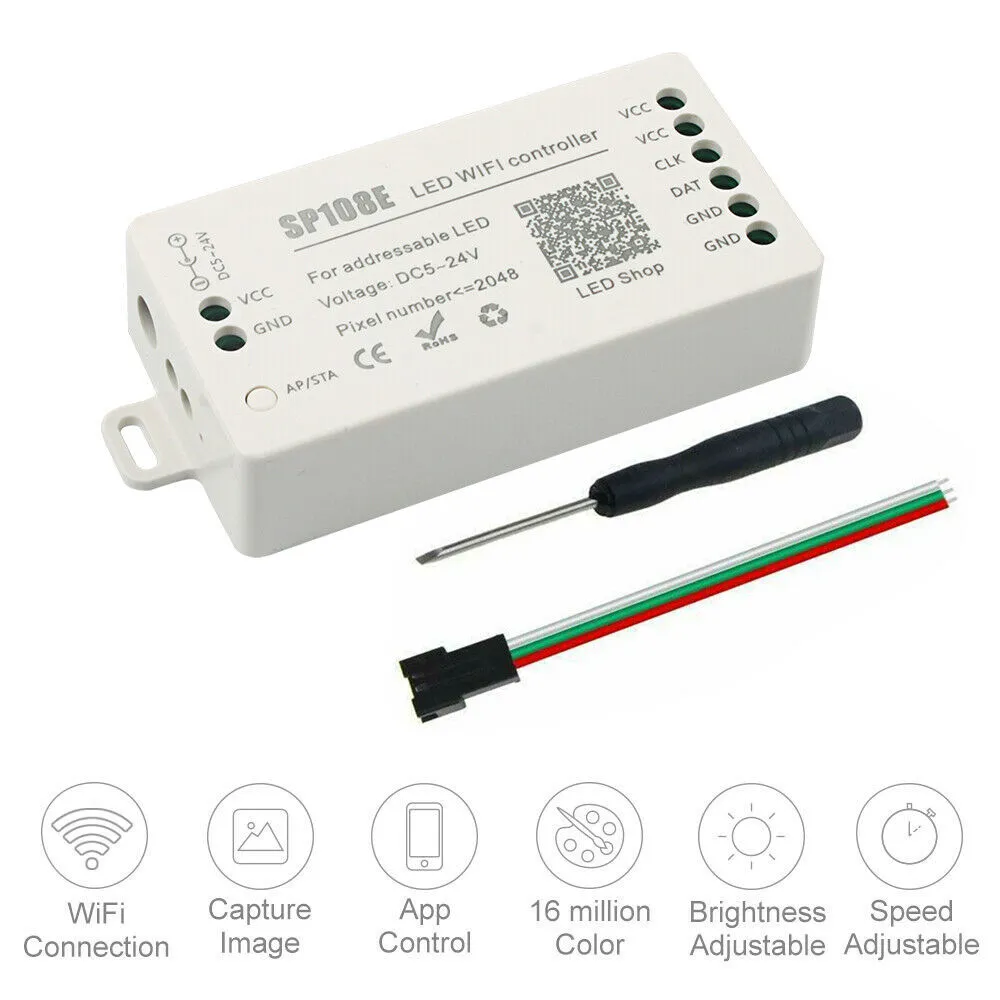
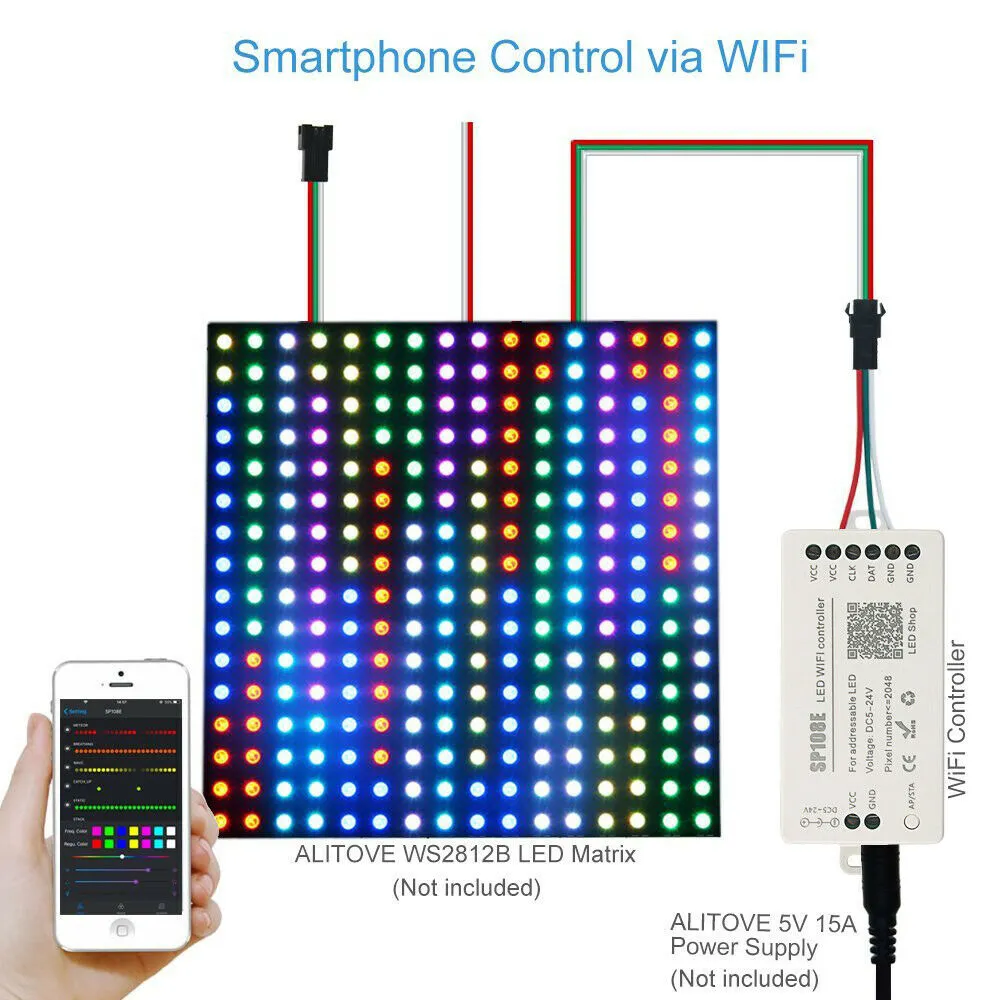
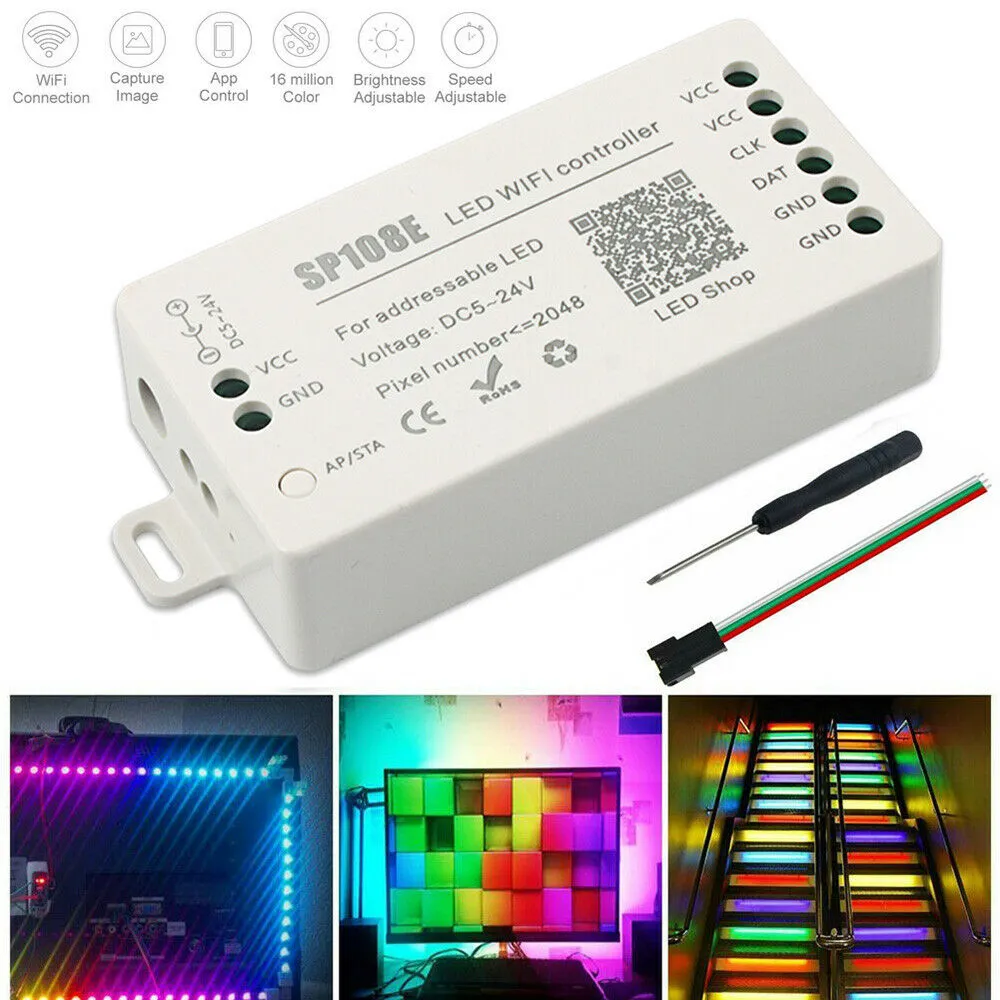
1) Long distance APP remote control via WIFI;
2) Support routing mode(AP) and LAN connection mode(STA);
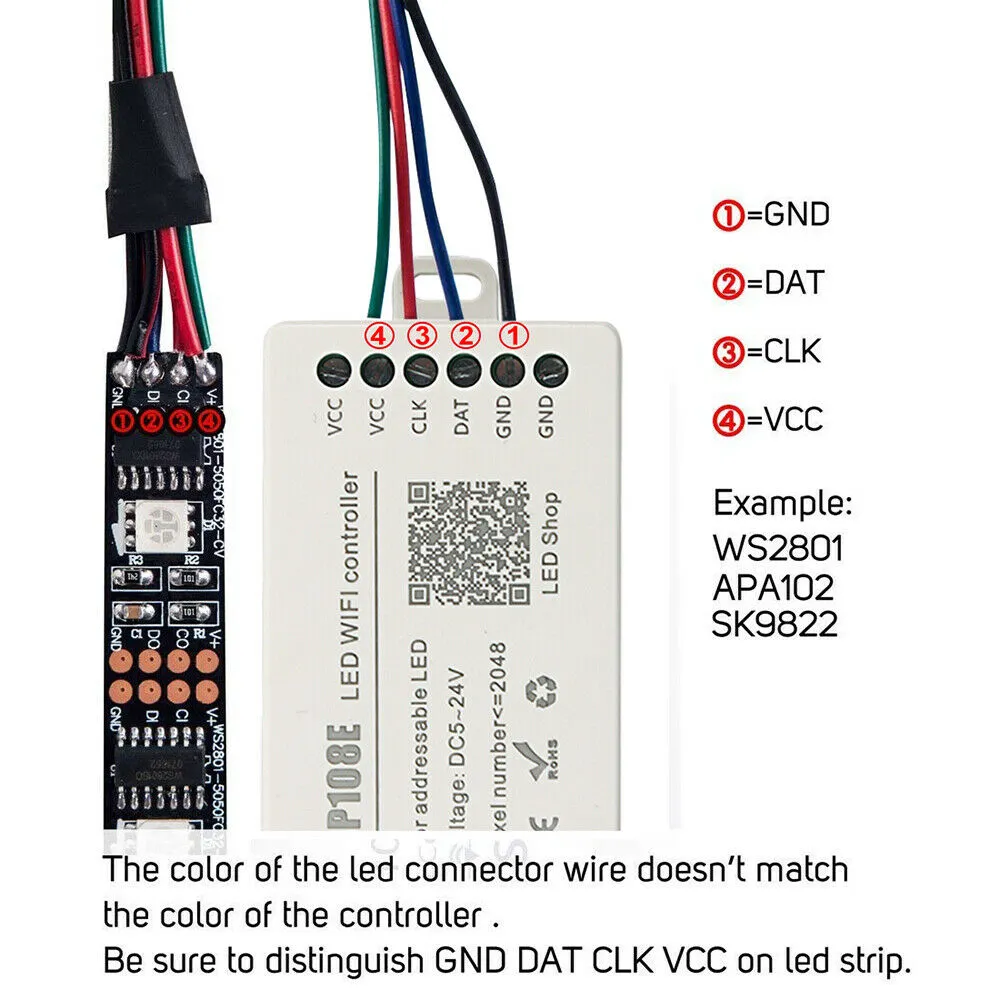
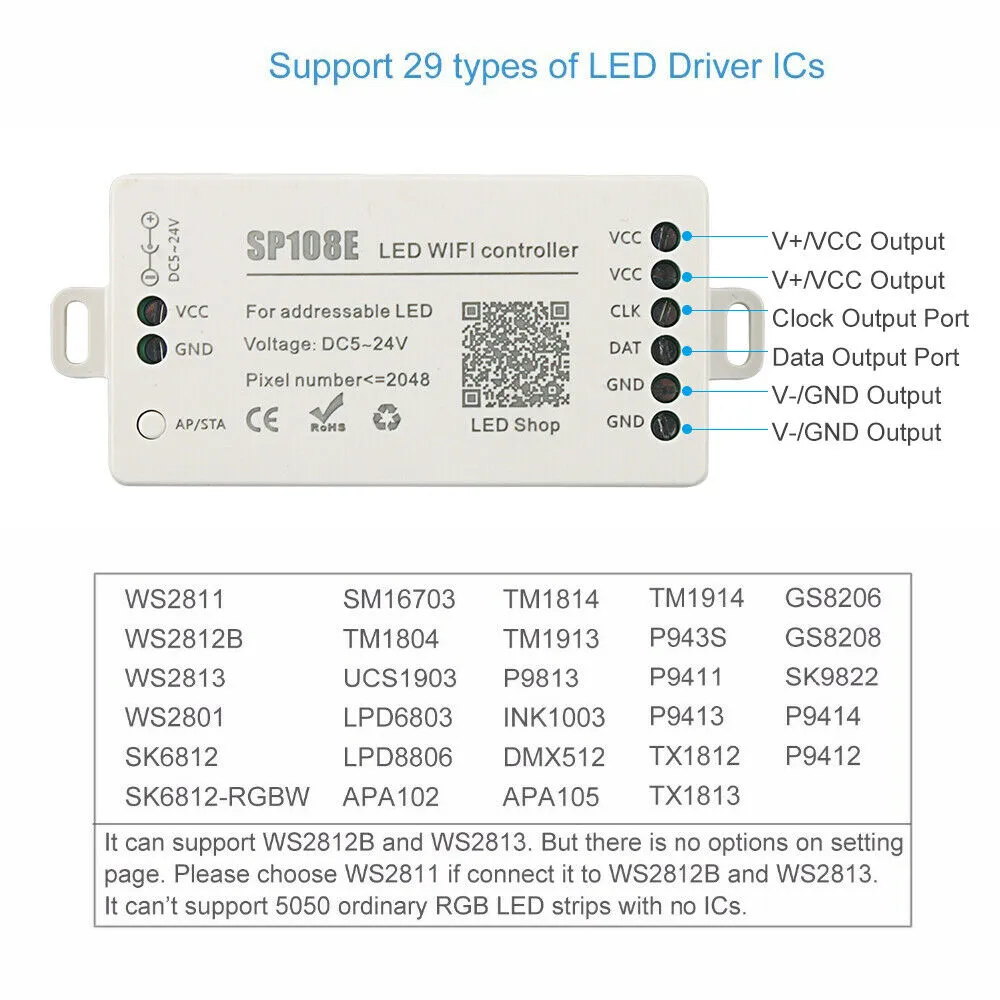
3) Support almost every kind of one-wire or two-wire LED driver IC ;
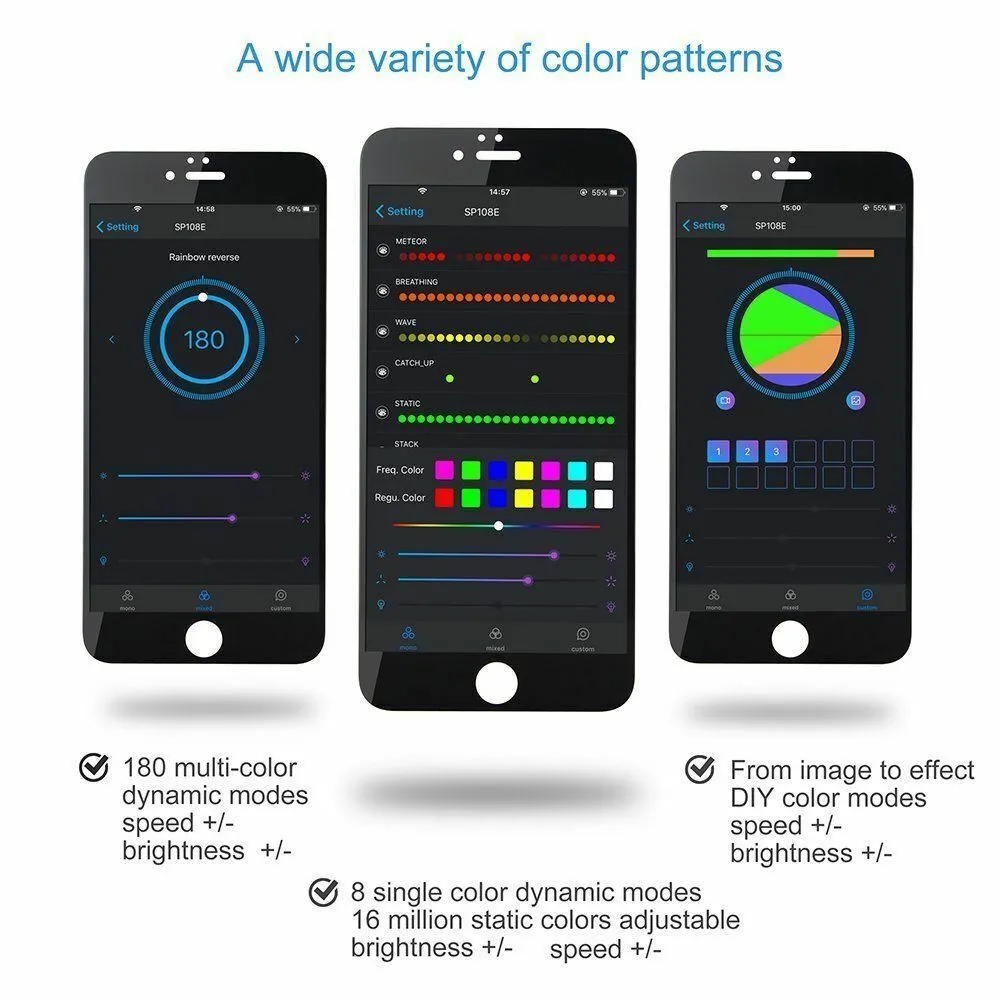
4) Brightness adjustable, With 180 kinds of patterns and 8 kind of color adjustable patterns;
5) Creatively usingfrom-image-to-effect method for user toDIYany effect;
6) Support setting pixel number and segments number, able to control up to 2048pixels;
7) DC5V~24V widerangeworking voltage, preventing reverse connection of power supply;
8) User setting saving;
App control:
Both IOS version and Android OS version are available. (hardware should support WIFI)
•Requires IOS version 10.0 or later;
•Requires Android OS version 4.4 or later;
•Search”LedShop”in App Store or Google pay or scan this QR code to download and install the App:
Specifications:
Working temperature : -20~60 Degrees Celsius
Working Voltage : DC5V~24V;
Working Current :20mA~130mA;
Remote distance :30 Meters;
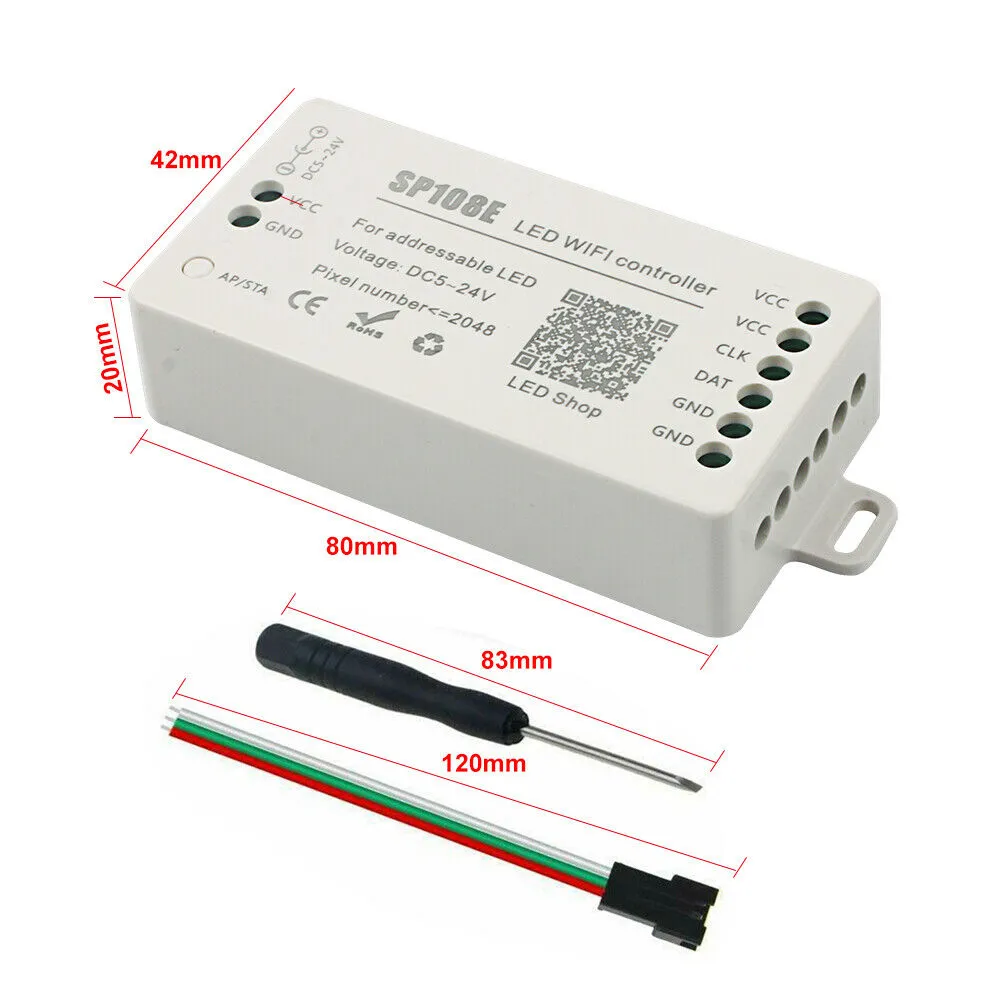
Product size : 85mm*45mm*22mm;
Product weight : 40g ;
Certificates : CE, RoHS;
Working Mode and Connecting:
AP(Access Point) mode:Controller and Phone connect directly, controller works as an access point.
Connect steps:
1) When the device is not connected to any WIFI network, power on the controller and wait for 20s and then controller will switch intoAP mode ;
2) In the WIFI setting page,find and connect the controller(named likeSP108E_xxx, the default pin code is 12345678),
3)Open the LED Shop App ,then the controller will be showed on the device list;
*STA(Station) mode:Controller and phone are in one same WIFI network, in this network, users can operate the controller smoothly.
Connect steps:
1)When the device is not connected to any WIFI network,power on the controller,controller will be remain inWait-For-Connet mode for 20 seconds;
2) Make sure that your phone is connected to a WIFI network, Open LED Shop APP, pressing the Add Device button,input the WIFI pin code, then press theOKto confirm and wait for the configure processing finish;
3) When controller successfully enter the WIFI network, it will be showed on the device list;
4) User can select the controller and remove it out of the network by pressing theRemove Device button,then the controller will switch into AP mode.
Package includes:
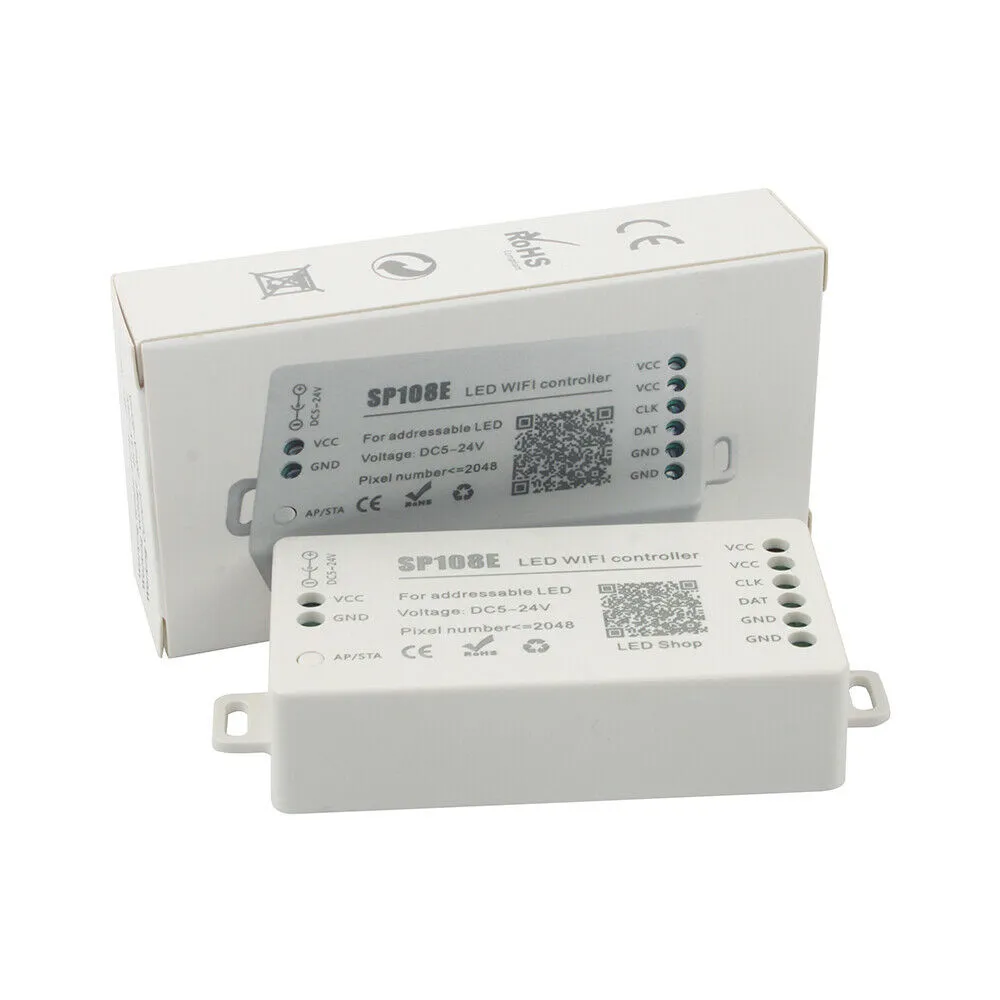
1x SP108E LED controller
1x 3pin female JST connector
1x Mini screwdriver
1x User manual
This device does not work under 5 ghz wifi

Other products from this supplier
Related products from premium suppliers on EC21
Browse: Manufacturer Directory Premium Suppliers Site Map
About EC21 Contact Us Terms & Conditions Report Item Online Trading Risks Product Listing Policy
Copyright (c)1997-2026 EC21 Inc. All Rights Reserved. EC21 in KoreanChinese
Business Registry Number: 120-86-03931 | Mall order sales Registration Number: 강남-5838




)